A Meta ecommerce product feed is a crucial component that links your product catalog directly to Meta’s advertising platform, powering your ads and shaping your return on ad spend (ROAS). If your ecommerce Meta ads aren’t delivering the results you want, your product feed might be the issue. By optimizing your feed—ensuring it’s accurate, complete, and well-structured—you help Meta show the right products to the right people, improving ad relevance and boosting ROAS without extra ad spend or drastic strategy changes.
What is a Meta Ecommerce Product Feed and why should I care?
A Meta ecommerce product feed is a file or live data source listing all your products with details such as names, descriptions, prices, images, inventory status, and unique identifiers. It connects your product catalog to Meta’s ad system, enabling dynamic ads that automatically show relevant products to shoppers. When your feed is accurate, Meta can deliver personalized ads—like retargeting someone who viewed a specific item or suggesting complementary products. Without a precise feed, your ads risk showing irrelevant or unavailable products, wasting budget and lowering ROAS. In short, your product feed forms the foundation of successful ecommerce advertising on Meta platforms.
How does the product feed impact my ads’ ROAS?
The quality of your product feed directly affects how well your ads perform and how much revenue you generate per dollar spent. Complete, accurate data allows Meta’s algorithms to match products with the right audience effectively, leading to higher click-through and conversion rates. This means more sales for the same or less ad spend. Conversely, missing prices, outdated stock info, or poor descriptions can cause ads to show unavailable or confusing products, resulting in wasted clicks and lower ROAS. Optimizing your feed is one of the most effective ways to maximize your Meta ad budget.
What are the biggest mistakes people make with their Meta product feeds?
Many advertisers overlook critical details when setting up their product feeds, which hurts ad performance. Common mistakes include missing key data like price or availability, causing ads to display incorrect or incomplete product info. Not updating the feed regularly means ads might promote out-of-stock or discontinued items. Formatting errors—such as wrong file types, invalid characters, or inconsistent attribute names—can disrupt Meta’s system. Also, skipping unique product identifiers like GTINs or MPNs hampers Meta’s ability to verify and categorize products properly. Avoiding these errors requires careful attention and a consistent update routine to keep your feed accurate and compliant.
Which product attributes are must-haves for a powerful feed?
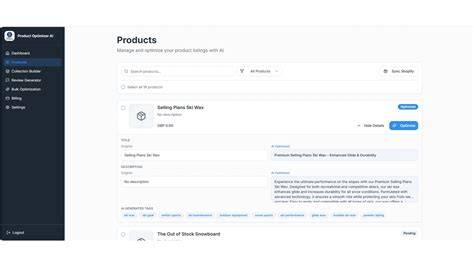
Certain attributes have a significant impact on ad relevance and targeting. Product titles should be clear, descriptive, and include keywords shoppers use. Descriptions provide context and help Meta understand your products better, so they should be complete and well-written. Price and availability must be accurate and updated frequently—showing wrong info frustrates buyers and wastes ad spend. Unique identifiers like GTINs, MPNs, or brand names improve product classification and ad matching. High-quality, correctly sized images make your ads more attractive. Including these key attributes lays the groundwork for better targeting and higher conversion rates.
How do I set up or link my product feed inside Meta Ads Manager and Commerce Manager?
Start by creating a product catalog in Commerce Manager, which holds your feed data. Then, add your feed by uploading a file (CSV, TSV, XML) or connecting a live data source via URL or API. Meta also supports integrations with ecommerce platforms like Shopify and BigCommerce for automatic syncing. After uploading, use Commerce Manager’s diagnostics tool to check for errors. Link the catalog to Ads Manager to create dynamic product ads. To keep your feed accurate, set up scheduled fetches or automatic syncing, minimizing manual updates and reducing errors.
What tools or third-party apps can help me manage and optimize my product feed?
Besides Meta’s built-in feed management features, tools like DataFeedWatch, Feedonomics, and GoDataFeed specialize in cleaning, standardizing, and enhancing product feeds across channels including Meta. These platforms automate error detection, correction, scheduling updates, and improving product data with better titles and descriptions. Meta’s Commerce Manager also provides diagnostic reports that highlight missing fields or policy issues. Combining Meta’s native tools with dedicated feed management apps can save time, reduce errors, and keep your feed optimized for better ad performance.
How can I troubleshoot feed errors and keep my catalog up to date?
Commerce Manager’s diagnostics section lists issues such as missing required attributes, disapproved products, or formatting problems. When you find errors, fix them at the source—your ecommerce platform or feed file—by adding missing prices, removing invalid characters, or updating stock status. If you use automated syncing, verify that connections are working and data refreshes as scheduled. Regularly reviewing diagnostics helps prevent ad disapprovals and keeps your catalog healthy. Also, remove permanently out-of-stock or discontinued items to avoid wasting ad spend on unavailable products.
How do I use feed data to improve my dynamic ads and retargeting campaigns?
A well-optimized product feed enables personalized dynamic ads that speak directly to shoppers’ interests. Accurate titles and availability let you retarget visitors with ads showing exactly what they viewed or suggest related products. Regular price updates ensure your ads reflect current discounts or promotions, making them more appealing. You can also segment your catalog by categories or brands to tailor campaigns for different audiences. The better your feed data, the more effective and flexible your dynamic ads become, increasing engagement and ROAS by showing shoppers products they actually want.
What metrics and reports should I track to measure feed impact on ROAS?
In Ads Manager, focus on conversion rate, cost per purchase, and ROAS to see how your product feed affects ad performance. Compare dynamic product ads to static ads to measure the benefits of feed improvements. Use breakdowns by product or product sets to spot which items drive revenue and which may have feed issues. Commerce Manager’s catalog insights also highlight product-level errors or disapprovals that can hurt performance. Regularly monitoring these metrics helps identify trends and guides ongoing feed optimization to maximize your ad budget’s return.
What’s a simple first project to improve my product feed and see better ROAS fast?
Start by improving product titles and updating availability status. Titles should be clear and include relevant keywords without keyword stuffing—think about how shoppers search. Make sure out-of-stock items are marked correctly or temporarily removed from the feed to avoid promoting unavailable products. These straightforward fixes cut wasted clicks and boost ad relevance, often leading to quick ROAS improvements. After making changes, compare performance before and after in Ads Manager to measure the impact.
Conclusion
Focus first on cleaning your product titles and keeping availability information accurate and current. Don’t worry about complex feed attributes at the start; prioritize the basics that affect the shopping experience most. A well-maintained product feed ensures your ads show the right product at the right time, improving ROAS without extra spending. Keep monitoring Meta’s diagnostics and ad reports to catch issues early and make ongoing improvements. With consistent care, your ecommerce ads will become more targeted, efficient, and profitable over time.
Frequently Asked Questions
How often should I update my Meta product feed?
Update your feed as often as your inventory or pricing changes. Many ecommerce stores sync daily or multiple times a day to keep product info accurate. If automatic updates aren’t possible, refresh your feed at least once a week to avoid showing outdated details.
Can I use the same product feed for Facebook and Instagram ads?
Yes. Meta uses the same product catalog for both Facebook and Instagram dynamic ads. Once your feed is linked in Commerce Manager, your products can appear across both platforms using the same data.
What happens if my product feed has errors?
Errors in your feed can lead Meta to disapprove specific products or your entire catalog, preventing those products from running in ads. Errors also reduce ad relevance and performance, which lowers ROAS. Use Commerce Manager’s diagnostics to find and fix issues quickly.
Do I need GTINs or other product identifiers in my feed?
Including GTINs, MPNs, or brand names helps Meta classify your products accurately, improving ad targeting and eligibility for certain formats. While not always mandatory, adding these identifiers is a best practice for better feed quality.
Can I manually edit my product feed inside Meta’s platform?
Meta allows some manual edits, like adjusting product availability or removing items, but major changes to titles or prices need to be done in your original feed source or ecommerce platform. Managing your feed at the source keeps everything consistent and avoids conflicts.