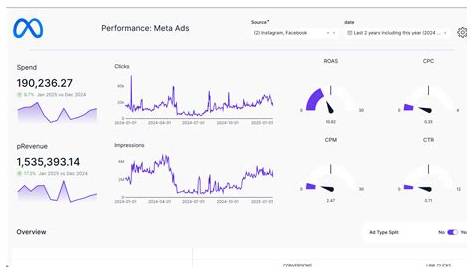
If your Meta Ads aren’t delivering results or keep showing errors, the first step is to identify what’s going wrong. Common issues include ads not being approved, poor campaign performance like low reach or high costs, pixel tracking problems, billing errors, and audience or budget mistakes. Once you know the cause, you can apply straightforward fixes to get your campaigns running smoothly and effectively.
Why haven’t my Meta Ads been approved yet?
Meta rejects ads mainly because they break advertising policies. Typical reasons include using prohibited content such as misleading claims, adult material, or restricted products like alcohol and tobacco. Ads with too much text in images can be disapproved since Meta favors clear, uncluttered visuals. Also, ads linking to landing pages that don’t load properly or lack clear information can be flagged for poor user experience.
To fix this, check the rejection notice in Ads Manager to understand the exact reason. Remove or replace any disallowed content. For example, if your image has over 20% text, simplify it to just a logo or a clean photo. Make sure your landing page loads quickly and clearly explains your offer. Small changes can make a big difference in meeting Meta’s standards and getting your ad approved.
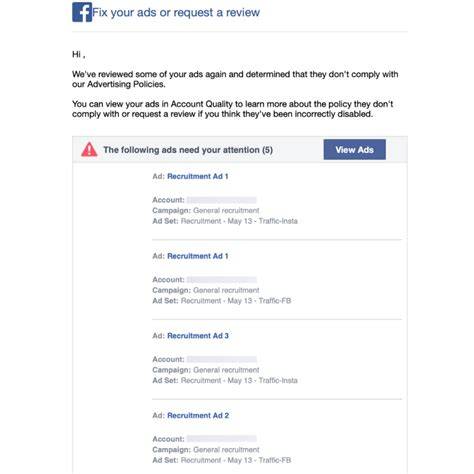
What should I do if my ad is disapproved after approval?
Sometimes ads approved at first get disapproved later because Meta’s automated systems catch new issues or policies change. When this happens, look at the disapproval reason in Ads Manager. If you think the decision was wrong, you can appeal through the platform.
When appealing, explain politely why your ad follows policies. Avoid resubmitting the same ad without changes, as this can delay reviews or cause restrictions. To reduce future disapprovals, stay updated on Meta’s policy changes and double-check your ads—especially images, text, and landing pages—before launching. If your business involves sensitive categories, regularly review Meta’s guidelines to stay compliant.
Why is my Meta Ad campaign not reaching enough people?
Low reach often happens when your audience is too narrow or your budget or bidding doesn’t support enough delivery. For example, targeting a very specific age group in a small area limits how many people Meta can show your ad to. Using manual bids that are too low or a budget that’s too small can also restrict reach.
Your ad’s relevance matters too. If your ad doesn’t connect with the audience, Meta’s algorithm may reduce how much it’s shown to avoid poor user experience. Check the relevance diagnostics in Ads Manager to see if people engage with your ad.
To improve reach, try broadening your audience by expanding age ranges or locations, increase your budget or bids, and test new ad creatives to make your ads more appealing. For instance, if you only target ages 25-30 in one city, add nearby cities or widen the age range. Finding a balance between targeting precision and audience size helps Meta deliver your ads more effectively.
How can I tell if my Meta pixel is working correctly?
Your Meta pixel tracks conversions and helps optimize campaigns, so it’s important it’s set up right. The easiest way to check is with Meta’s Pixel Helper browser extension—it shows if the pixel is firing on your website pages.
If the pixel isn’t firing, make sure the code is installed on every page where it should be, especially checkout or thank-you pages where conversions happen. Missing or duplicated pixels can cause inaccurate data, leading to poor campaign decisions.
Sometimes the pixel fires but doesn’t record conversions correctly because events aren’t set up properly. Check that you’ve configured standard or custom events that match your goals, like "Purchase" or "Lead." Test these events by completing actions on your site to confirm they track correctly. Accurate pixel data helps Meta optimize your ads more effectively.
Why are my ad costs higher than expected?
Higher costs per click or conversion can happen for a few reasons. Increased competition targeting your audience can push bids up. Your budget or bid settings might not match your goals; for example, automatic bidding can sometimes spend more than you expect if limits aren’t set.
Ad fatigue is another cause—when the same people see your ads repeatedly, engagement drops and costs rise because Meta works harder to find interested users. Poor targeting or irrelevant creative also wastes budget on people unlikely to convert.
To lower costs, refresh your ad creative regularly, narrow or refine your audience to focus on qualified prospects, and set bid caps or daily spending limits. Testing different campaign objectives—like switching from clicks to conversions—can improve return on ad spend.
What should I check if my audience targeting isn’t delivering results?
If your audience isn’t responding, it’s often either too broad, too narrow, or mismatched with your offer. Targeting all adults in a large area without filters may attract uninterested users. Conversely, very narrow audiences can be too small to deliver results.
Also, layering many targeting options can shrink your audience too much. For example, combining detailed demographics, interests, and behaviors that few people meet all at once restricts delivery severely.
To improve targeting, start with a clear profile of your ideal customer and test different audience sizes. Use lookalike audiences based on your best customers if possible, or exclude irrelevant groups to stay focused. Regularly check performance data to see which audiences engage and convert better, and adjust your budget accordingly.
How do billing and payment issues affect my Meta Ads?
Billing problems can stop your campaigns completely. If your payment method fails—due to an expired card, insufficient funds, or mismatched billing information—Meta usually pauses your ads until you update your details. Account holds also happen if Meta detects suspicious activity or policy violations.
To fix billing issues, review your payment settings in Ads Manager and update any outdated info right away. If your account is on hold, you’ll get a notification explaining why; resolving the issue and contacting Meta support can restore your campaigns.
Keep track of billing alerts and update payment methods before they expire to avoid interruptions. Regular checks of your account status help keep your ads running smoothly.
What errors in the ad setup cause campaigns to underperform?
Many campaigns underperform because of setup mistakes. Low-quality creative—blurry images, irrelevant videos, or unclear messaging—fails to capture attention or connect with your audience. Ads without a clear call-to-action leave people unsure what to do next.
Incorrect ad placements hurt results too. For example, a video designed for Instagram Stories may not work well in Facebook’s right column because the format and audience differ. Neglecting mobile optimization is a common issue since most users access Meta platforms on phones.
To improve performance, tailor your creative to each platform and audience, use sharp visuals and concise messaging, and include clear calls-to-action like "Shop Now" or "Sign Up." Testing multiple ad versions helps find what works best.
How do I troubleshoot problems with reporting and data accuracy?
If your reporting looks off, start by checking filters and date ranges that might hide some data. Differences in attribution settings—such as choosing 1-day view or 7-day click windows—can change reported conversions.
Data processing delays are normal; some conversion data can take hours or even a day to appear fully. Cross-device attribution and pixel tracking issues add complexity and can make numbers seem inconsistent.
Review your reporting settings carefully, avoid rushing to conclusions, and compare data over several days to get a clearer view. Understanding these details helps you make decisions based on accurate information.
What practical steps can I take right now to fix my Meta Ads problems?
Begin by reviewing your ads in Ads Manager for any disapprovals or warnings and fix those first. Use the Pixel Helper tool to check your pixel installation on key pages. Evaluate your audience size and targeting—broaden or refine as needed.
Check your budget and bid settings to ensure they fit your goals without overspending. Refresh your ad creative if you suspect fatigue or low engagement. Verify your payment methods and account status to prevent interruptions.
Finally, audit your reporting by checking filters, attribution settings, and possible data delays. Tackling these areas one by one helps you handle common issues without overwhelm and gets your campaigns back on track quickly.
Conclusion
The quickest way to fix your Meta Ads is to tackle the main blockers first: ad approvals, pixel setup, and billing. Once those are clear, adjust your audience targeting and budget to improve reach and cost efficiency. Don’t get bogged down chasing every minor metric—simple, focused changes often lead to steady ad delivery, reasonable costs, and measurable conversions that match your business goals. Take it step by step, and your ads should start performing closer to what you expect.
Frequently Asked Questions
How long does it usually take for Meta Ads to get approved?
Meta Ads generally get reviewed within 24 hours, though sometimes it can be faster or take longer depending on volume and complexity. If your ad isn’t approved after a day, check it for policy issues or consider submitting an appeal.
Can I run Meta Ads without the pixel installed?
You can run ads without the pixel, but you’ll lose valuable conversion tracking and optimization features. The pixel helps Meta show your ads to people more likely to take action, so having it installed usually improves performance.
What’s the best way to lower high ad costs?
Try refreshing your ad creative, refining your audience to target more qualified users, and adjusting your bid strategy to control spending. Testing different objectives or placements can also help reduce costs over time.
Why do some ads get disapproved after running successfully for days?
This can happen if Meta’s systems detect new policy issues, changes in your landing page, or if user feedback flags the ad. Regularly reviewing your ads and staying updated on Meta’s policies helps prevent unexpected disapprovals.
How do I know if my reporting data is delayed or inaccurate?
Look for unusual changes in metrics and check your attribution settings and date ranges. Using consistent reporting windows and waiting 24-48 hours after campaigns run helps ensure data accuracy.