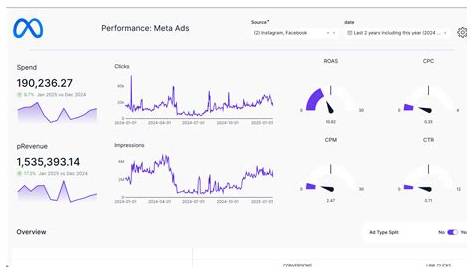
The Meta Conversion API is a tool that helps you track conversions more accurately by sending event data directly from your server to Meta (formerly Facebook), bypassing the limitations of browser-based tracking like the Facebook Pixel. It was created because recent privacy changes in browsers and platforms have made pixel tracking less reliable. Using the Conversion API alongside the Pixel gives you a clearer, more complete picture of how your ads are performing, especially when browser restrictions block traditional tracking methods.
What exactly is the Meta Conversion API?
The Meta Conversion API lets your website or server send conversion and event data straight to Meta’s servers instead of relying on the user’s browser. Meta developed it to address the drop in tracking accuracy caused by browsers blocking third-party cookies and limiting tracking scripts. With the Conversion API, actions like purchases or sign-ups are reported directly from your backend systems to Meta, making your data more reliable even when browser tracking is restricted.
Why can’t I rely on the Facebook Pixel alone anymore?
The Facebook Pixel works by running JavaScript in the user's browser to capture actions on your site. However, recent privacy updates in browsers like Safari and Firefox, along with Apple’s App Tracking Transparency rules, have limited how pixels can track users. These changes block or restrict cookies and scripts the Pixel depends on, leading to missing conversion data. As a result, your ad reporting can be incomplete and your targeting less precise. While the Pixel still plays a role, it can’t provide the full picture by itself anymore.
How does the Conversion API actually work behind the scenes?
Instead of relying on a user’s browser, the Conversion API sends event data directly from your server to Meta’s servers. When someone takes an action—like making a purchase—your website or backend captures that event and sends details through the API. This data includes the event type, time, and hashed customer identifiers to protect privacy. Meta matches this information with its user data to attribute conversions to your ads. Because this happens server-side, it avoids many issues that cause pixel data to be blocked or lost, giving you clearer tracking.
What types of events can I track with the Conversion API?
You can track most of the same events as with the Facebook Pixel. Examples include purchases, leads (such as form submissions), adding items to a cart, starting checkouts, page views, and registrations. You can also send custom events that fit your business needs. The key is to track actions that help you understand and improve your customer journey and ad results.
How does the Conversion API improve ad performance and reporting?
Because the Conversion API sends data directly from your server, it’s less affected by browser blockers and restrictions that interfere with pixel tracking. This means fewer missed or unreported conversions, giving you more accurate data. Better data helps Meta’s ad algorithms optimize your campaigns by targeting the right people and adjusting bids more effectively. Your reports will also be more reliable, letting you see what’s working clearly. Using the Conversion API alongside the Pixel fills in tracking gaps for stronger ad performance and smarter decisions.

Is the Conversion API difficult to set up?
How tricky the Conversion API is to set up depends on your situation. Many platforms like Shopify or WooCommerce have built-in support, so enabling it can be as simple as a few clicks. If you have a custom site or backend, you might need a developer to write server-side code that sends event data. Testing is important to avoid issues like counting the same event twice. While it’s more involved than just adding a Pixel, there are many tools and guides to help make the process manageable.
What tools or platforms support the Meta Conversion API?
Many popular CMS and e-commerce platforms support the Conversion API either natively or through plugins. Shopify, WooCommerce, BigCommerce, and Magento are common examples offering easy integration. You can also configure tag managers like Google Tag Manager to send data via the API with some setup. Marketing platforms such as Zapier or Segment may provide connectors to link your site with Meta’s API. Choosing a platform with built-in support can save time and reduce technical challenges.
How does the Conversion API handle user privacy and data security?
The Conversion API respects user privacy and complies with regulations like GDPR and CCPA by using hashed identifiers. This means personal data like emails or phone numbers are converted into secure, anonymized codes before sending to Meta. Meta can then match users without receiving raw personal information. You still need to inform visitors about data collection and follow relevant privacy laws. The API uses secure HTTPS connections to keep data safe during transfer.
What common mistakes should I avoid when implementing the Conversion API?
Watch out for double counting events if pixel and API events aren’t coordinated properly, which can inflate conversion numbers. Make sure event parameters are complete and accurate to avoid poor matching and incorrect reports. Always test your setup thoroughly before going live to ensure events fire correctly and data flows as expected. Also, don’t overlook privacy compliance—hashed identifiers must be handled properly to prevent issues with regulations or data mismatches.
What are the next practical steps I should take to start using the Conversion API?
Begin by reviewing your current tracking setup and checking if your platform supports Conversion API partner integrations—this is usually the easiest way to start. If not, consider whether you have developer resources to implement it manually. Decide which events to track and confirm your site or backend can capture them. Use Meta’s testing tools to verify event delivery before launching. After setup, monitor your ad reporting closely to see improvements and adjust as needed. Starting small and learning as you go makes the process less overwhelming.
Conclusion
If you want more dependable conversion tracking in a world with stricter privacy rules, the Meta Conversion API is a strong step forward. It won’t replace the Facebook Pixel entirely—using both together gives you the clearest data. Begin by understanding your current tracking, then pick the integration method that fits your skills and resources. Test your events carefully and watch how your ad results improve. Over time, you’ll get cleaner data, better targeting, and clearer insight into what drives your business growth.
Frequently Asked Questions
Can I use the Conversion API without the Facebook Pixel?
Yes, the Conversion API can work alone, but combining it with the Facebook Pixel usually gives you the most complete tracking because they collect data from different sources.
Does the Conversion API slow down my website?
No. Since the Conversion API sends data from your server, it doesn’t add extra scripts or load to your visitors’ browsers, so your website speed won’t be affected.
Will the Conversion API capture data if users block cookies or tracking scripts?
Often, yes. Because the API sends data directly from your server, it bypasses browser restrictions that block cookies or scripts, making it more reliable at capturing conversions when browser tracking is blocked.
Is technical knowledge required to set up the Conversion API?
Some technical skills are usually needed, especially for manual setup. However, many platforms offer integrations that make setup easier and don’t require deep developer expertise.
How does the Conversion API protect user privacy?
It anonymizes personal data by hashing it before sending to Meta. This helps comply with privacy laws and keeps user identities protected while still allowing Meta to match conversions accurately.