If you’re an Amazon seller new to Pay-Per-Click (PPC) advertising, managing your campaigns well can boost your product’s visibility and sales without wasting money. Amazon PPC lets you place ads where shoppers are actively searching for products like yours. This guide walks you through setting up your first campaign, tracking the right metrics, researching keywords, optimizing bids, avoiding common mistakes, and analyzing results so you can grow your sales steadily and confidently.
What exactly is Amazon PPC and why should I care?
Amazon Pay-Per-Click (PPC) is an advertising model where you pay only when someone clicks your product ad. These ads appear in search results or on product pages, helping your listing stand out from competitors. For new sellers, PPC can quickly put your products in front of shoppers who are ready to buy. Since PPC targets interested buyers, it’s a direct way to increase visibility and sales, unlike relying solely on organic search rankings, which take time to build. PPC also provides valuable data on what keywords and ads work best for your product.
How do I set up my first Amazon PPC campaign without getting overwhelmed?
Starting your first Amazon PPC campaign is simpler when you follow these steps: First, choose the campaign type. Sponsored Products campaigns are the best starting point because they promote individual listings in search results and product pages. Next, set a daily budget that feels comfortable—enough to gather useful data but low enough to limit risk. You can always raise it later. Then, decide on targeting: automatic targeting lets Amazon find relevant search terms and products for you, which is great for beginners to learn what works. Manual targeting lets you select specific keywords or products but requires more research and management. After that, create your ad by picking the product you want to promote and setting bids for your keywords or targets. Launch the campaign, then check its performance regularly to understand what’s working before adjusting bids or budgets.
Which keywords should I target to make my ads profitable?
Choosing the right keywords is key to showing your ads to shoppers likely to buy. Start by listing words and phrases your customers might use to search for your product. Use Amazon’s search bar suggestions and keyword tools like Helium 10 or Jungle Scout to find related terms with good search volume. Look at competitors’ listings to spot keywords they rank for, which might be worth targeting. Aim for a mix: broad keywords to reach more shoppers and long-tail keywords that often face less competition but attract buyers with clear intent. Avoid very generic keywords that get clicks but rarely convert, as these waste your budget. Regularly review which keywords bring sales and which don’t, then add new profitable ones and pause or exclude poor performers to keep your campaign efficient.
How do I decide how much to bid on keywords?
Bidding balances getting your ad seen and controlling costs. If your bid is too low, your ad won’t appear often or in good spots; too high, and you might pay more than your profit margin allows. Start with Amazon’s suggested bids or slightly lower to test performance. Watch your cost per click (CPC) and sales to see if the return makes sense. For keywords that consistently bring in profitable sales, consider raising your bid to get more impressions and clicks. If a keyword costs more than it earns, lower the bid or pause it. Keep in mind some keywords are seasonal or trend-based, so adjust bids over time. Don’t set bids and forget them—regular review and adjustments keep your campaign efficient.
What are the key metrics I need to watch every day?
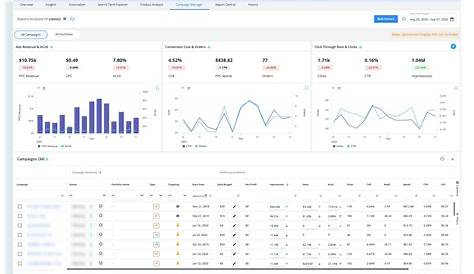
To track your Amazon PPC campaigns effectively, focus daily on these key metrics: ACOS (Advertising Cost of Sales) shows what percentage of your sales revenue you spend on ads—lower ACOS usually means better profitability, but acceptable levels depend on your product margin. CTR (Click-Through Rate) indicates how often shoppers click your ad after seeing it; a low CTR may mean your ad or keywords aren’t relevant. CPC (Cost Per Click) tells you how much each click costs—compare this to your profit per sale. Impressions count how often your ad appears; low impressions might signal you need to increase bids or adjust keywords. Watching these metrics together helps you spot issues early: for example, high impressions with low sales might mean your product page needs improvement, while high CPC without sales suggests lowering bids or refining keywords.
Why am I spending money but not seeing sales?
Spending on ads without sales is common for new PPC campaigns. A major reason is targeting irrelevant keywords, causing clicks from shoppers who aren't interested in your product. Another is a weak product listing—if your title, images, description, or reviews don’t convince buyers, clicks won’t convert. Low bids can also limit your ad’s visibility, so fewer qualified shoppers see it. New campaigns often need time and data to optimize; initial clicks might not convert immediately but should improve as you refine keywords and bids. If sales lag, review your product page alongside your PPC settings to make sure both attract and convert buyers.
How do I optimize my campaigns over time?
Optimizing your campaigns means using data to improve results and reduce wasted spend. Pause keywords or targets that don’t convert to stop losing money. Increase budgets or bids on keywords that reliably generate sales to capture more traffic. Add negative keywords—terms you don’t want your ads to show for—to avoid irrelevant clicks. Regularly review ACOS and CTR to spot trends and tweak your strategy. If your platform allows, test different ad creatives or product images since they can affect click rates. Balance your budget between proven keywords and testing new ones to expand reach without overspending.
What mistakes do most new sellers make with Amazon PPC?
Many new sellers set budgets too high from the start, risking overspending before they understand what works. Others set budgets too low, preventing their ads from getting enough impressions to gather useful data. Ignoring negative keywords means ads may show for unrelated searches, wasting money. Some sellers don’t track or analyze campaign results regularly, missing chances to improve. Neglecting the product listing is another common mistake—no amount of PPC will help if your page doesn’t convert visitors into buyers. Finally, some set bids and then forget about their campaigns, missing opportunities to optimize and save money.
Can I automate any part of Amazon PPC management?
You can automate routine tasks like pausing underperforming keywords, adjusting bids based on rules, or generating reports. Amazon has built-in automation features, and third-party tools offer more advanced options. Automation saves time and keeps campaigns efficient, especially as you scale. But it’s important to check your campaigns regularly because automation might not always align with your specific goals or react quickly to market changes. Use automation for repetitive tasks but stay involved to make sure your campaigns stay on track.
What’s the next step after I have a solid PPC campaign running?
Once your PPC campaign consistently drives sales at a reasonable cost, you can scale by increasing your budget or adding new keywords and campaigns. Combining PPC with other marketing efforts like promotions, deals, or social media can boost results further. Keep learning from your campaign data and stay aware of changes in Amazon’s advertising platform or your product niche. Trying different ad types like Sponsored Brands or Sponsored Display might open new growth opportunities. The key is steady, informed adjustments rather than rushing—this approach usually leads to better, lasting success.
Conclusion
Start with a simple Sponsored Products campaign, a modest budget, and automatic targeting to gather data. Focus on a few key metrics like ACOS and CTR, and don’t hesitate to pause keywords or ads that don’t perform. Avoid jumping into high budgets before you know what works. A successful campaign steadily drives sales at a reasonable cost, boosting your product’s visibility and revenue. Keep adjusting bids and keywords based on what you learn, and over time you’ll find a rhythm that grows your sales efficiently. Remember, PPC supports your business—it’s not magic. Consistent attention and small tweaks pay off in the long run.
Frequently Asked Questions
How much should I budget for my first Amazon PPC campaign?
Start with a daily budget you’re comfortable with, usually between $10 and $20. This lets you gather enough data without risking too much. You can raise the budget later as you find profitable keywords.
What’s the difference between automatic and manual targeting?
Automatic targeting lets Amazon choose keywords and products to show your ad for, which is easier if you’re new. Manual targeting lets you pick specific keywords or products, giving you more control but requiring more research and management.
How often should I check and adjust my PPC campaigns?
Check your campaigns daily at first to catch any issues early. Once optimized, reviewing every few days or weekly is usually enough to keep things running smoothly.
Can I use the same keywords for organic SEO and PPC?
Yes. Keywords that work well in PPC can also help your organic SEO. Using them in your product title and description improves both ad relevance and organic search rankings.
Are there risks to increasing PPC bids too quickly?
Yes. Raising bids too fast can increase costs without enough sales to keep it profitable. Increase bids gradually and watch how each change affects your return before spending more.