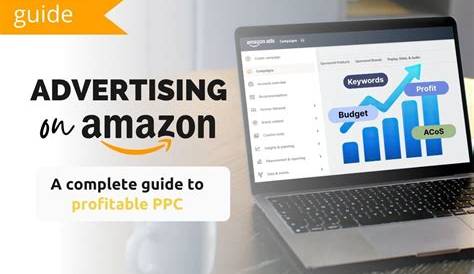
If your Amazon PPC ads aren’t turning clicks into sales, the problem usually lies in how your campaigns are set up and managed. To use Amazon PPC effectively, you need to understand how campaigns are structured, select keywords that match buyer intent, set budgets and bids that protect your profit margins, and regularly analyze your campaign data to make improvements. Without these steps, it’s easy to spend money on ads that don’t deliver results. This guide will walk you through everything you need to know to run smarter, more profitable Amazon PPC campaigns.
Why isn’t my Amazon PPC campaign making sales?
Your ads might not be converting because they don’t match what shoppers are actually searching for. For example, if you sell reusable water bottles but target generic keywords like "bottle" or "drinkware," you’ll attract clicks from people looking for different products or cheaper options, wasting your budget. Low bids can also keep your ads from appearing in good spots, reducing visibility to buyers. Using broad or automatic targeting without refining your keywords or audience means you could be paying for irrelevant clicks. The key is to align your ads closely with buyer intent, use relevant keywords, and set competitive bids to reach the right audience at the right time without overspending.
What types of Amazon PPC ads are there and which should I use?
Amazon offers three main PPC ad types: Sponsored Products, Sponsored Brands, and Sponsored Display. Sponsored Products ads promote individual products and appear in search results or on product pages. They’re best if you want to drive immediate sales for specific items. Sponsored Brands show your brand logo, a custom headline, and multiple products, helping shoppers discover your brand and browse your range. Use these when you want to build brand awareness alongside sales. Sponsored Display ads target shoppers on and off Amazon based on their browsing habits, which makes them useful for retargeting people who viewed your products but didn’t buy. If you’re new or focused on sales, start with Sponsored Products. Add Sponsored Brands to grow your brand presence once your products prove popular. Use Sponsored Display to re-engage interested shoppers and expand your reach outside search results.
How do I pick the right keywords for my product?
Think like your customer when choosing keywords. Start with automatic campaigns if you’re unsure; Amazon will find search terms that match your product and show which ones perform well. From there, move high-performing keywords into manual campaigns where you control bids and match types—exact, phrase, or broad. Exact match targets only the precise keyword and usually converts better. Phrase match lets you reach searches that include your keyword plus other words, balancing reach and relevance. Broad match casts a wider net but can bring irrelevant clicks if you’re not careful. Use Amazon’s search term reports or keyword tools to find terms buyers actually use and avoid generic or unrelated keywords. This approach helps ensure your ads reach people ready to buy your specific product.
How do I set my budget and bids to get the best results?
Set a daily budget based on what you can afford without losing money. Calculate your product’s profit margin by subtracting your costs and Amazon fees from the selling price. Decide what portion of that margin you want to spend on advertising—for example, 30%. If your margin is $10 per sale, spending $3 per sale on ads keeps you profitable. For bids, start moderate to collect data. If your average CPC is $0.50 and you want a 30% Advertising Cost of Sale (ACoS), that means about one sale per six clicks. Raise bids on keywords that perform well and lower or pause those that don’t. Keep your daily budgets manageable to avoid exhausting funds before Amazon can optimize your campaign delivery.
What are the biggest mistakes sellers make with Amazon PPC?
Common mistakes include ignoring negative keywords, which means your ads show for irrelevant searches and waste budget. Overbidding on broad or generic keywords can drain funds without profitable sales. Not checking your campaigns regularly lets poor performers run unchecked. Spreading your budget too thin across many campaigns or keywords weakens data and reduces optimization effectiveness. Confusing automatic and manual campaigns can cause overlap and unclear results. Avoid these by using negative keywords, focusing your budget on proven keywords, monitoring performance often, and keeping your campaigns organized and targeted.
How do I read and understand Amazon PPC reports?
Focus on key metrics to evaluate your campaigns. Advertising Cost of Sale (ACoS) shows the percentage of sales revenue spent on ads; lower ACoS means more efficient spending, but acceptable levels depend on your profit margin. Click-Through Rate (CTR) is the percentage of people who click your ad after seeing it; a low CTR suggests your ad or targeting may need improvement. Conversion rate shows how many clicks turn into purchases; a low conversion rate despite a good CTR indicates your listing might need work. Look at total spend and impressions to gauge your ads’ visibility. By tracking these metrics over time and by keyword, you can decide where to invest more, adjust bids, or pause underperformers.
When and how should I optimize my campaigns?
Start optimizing after running your campaigns for a couple of weeks to gather enough data. Increase bids on keywords that have good sales and a profitable ACoS to get more traffic. Lower bids or pause keywords that cost too much without converting. Use search term reports to add new high-performing keywords to manual campaigns and add irrelevant terms as negatives. Avoid making drastic daily changes; weekly or biweekly adjustments give Amazon time to adapt. Also, improve your product listings alongside PPC since even the best ads can’t convert if your listing isn’t clear or attractive. Regular attention keeps your campaigns focused on what drives sales.
Can I automate or delegate my Amazon PPC management?
Automation tools and agencies can help manage PPC campaigns, but both have trade-offs. Software can adjust bids and find keywords faster than manual work, saving time and reacting quickly to changes. However, these tools still require setup and monitoring to prevent wasted spend or missed opportunities. Hiring experts brings experience and strategy but costs money and requires trust. Many sellers do best by learning the basics themselves first, then using tools or professionals to scale their efforts. Remember, no tool replaces understanding your goals and market fit.
How do I scale my Amazon PPC campaigns as sales grow?
Scaling means increasing your budget and targeting while keeping your return on investment healthy. Once you find keywords and campaigns that consistently convert at a profitable ACoS, gradually raise their daily budgets to capture more traffic. Add new keywords from search term reports to reach more buyers, but avoid spreading your budget too thin. You can also try additional ad types like Sponsored Brands to raise brand visibility alongside sales. Watch your performance closely, since higher spend can sometimes lower efficiency if less relevant traffic is included. Scaling works best when you balance growth with careful monitoring and don’t simply double your budget without data backing it.
What’s the next step after setting up successful Amazon PPC ads?
After your PPC campaigns run smoothly, work on improving your product listings to boost conversions. Adding Enhanced Brand Content or A+ content makes your pages more engaging and builds buyer trust. You can also drive external traffic with social media, email marketing, or influencer partnerships to support your Amazon ads. Focus on building your brand presence by collecting reviews and encouraging repeat customers. The goal is to create multiple ways for buyers to find and trust your products, so PPC works as part of a broader marketing strategy rather than your only sales driver.
Conclusion
Successful Amazon PPC starts with choosing the right keywords that match what buyers search for and setting bids that protect your profits. Don’t try to target everything or overspend on broad terms. A good campaign steadily turns clicks into sales at an ACoS you can afford. Keep reviewing your data regularly and adjust bids and keywords as needed. Resist the temptation to set and forget; consistent small tweaks usually deliver better results than big, infrequent changes. Once your PPC is solid, improve your listings and explore other marketing channels to grow a sustainable business.
Frequently Asked Questions
What’s the difference between Sponsored Products and Sponsored Brands ads?
Sponsored Products ads promote individual product listings and appear in search results or product pages, focusing on driving sales for specific items. Sponsored Brands ads show your brand logo, a custom headline, and multiple products to increase brand awareness and encourage shoppers to explore your product range.
Should I use automatic or manual targeting for my Amazon PPC campaigns?
Start with automatic targeting to gather data on which search terms work well for your product. After reviewing that data, switch to manual targeting to control bids and choose exact or phrase matches, focusing your budget on keywords that convert.
How do I know if my Amazon PPC bids are too high or too low?
If bids are too low, your ads might get few impressions or appear in less visible spots. If bids are too high, you could pay more per click than your profit margin allows. Set bids to balance competitiveness with profitability, and adjust based on how each keyword performs.
What is ACoS and why does it matter?
ACoS stands for Advertising Cost of Sale and shows what percentage of your sales revenue goes to ads. It measures ad efficiency. A lower ACoS usually means better return on investment, but the ideal level depends on your product’s profit margin and marketing goals.
Can I rely entirely on automation tools for managing Amazon PPC?
Automation tools can save time and help optimize bids, but they need proper setup and ongoing oversight. They work best alongside a clear strategy and regular manual reviews. Relying solely on automation without understanding your campaigns can waste your budget or miss opportunities.