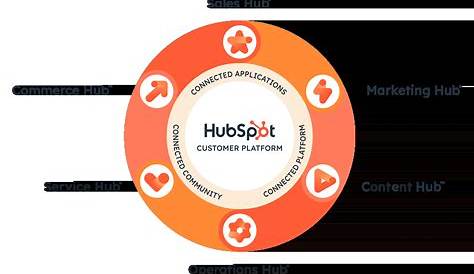
If you’re a marketing manager at a small or medium business new to HubSpot, you’re probably wondering how to build a content strategy that actually delivers results using its tools. A HubSpot content strategy means using its CMS, blog, SEO, and analytics features together to attract the right visitors, engage them meaningfully, and turn them into customers. By setting clear goals, organizing your content around topics your audience cares about, and tracking performance within HubSpot, you can create a focused, manageable plan that grows with your business.
What exactly is a HubSpot content strategy and why does it matter?
A HubSpot content strategy is your plan for using HubSpot’s content tools—like the CMS, blog, SEO, and analytics—to create and manage content that supports your marketing goals. It’s more than just writing blog posts or building webpages; it’s about coordinating your content efforts to attract, engage, and convert your ideal audience. Without a clear strategy, your content can feel scattered or miss the mark with your audience’s needs. HubSpot brings all the tools you need into one place, from SEO guidance and content organization to performance tracking. Having a clear plan inside HubSpot keeps your content purposeful—whether you’re aiming to drive traffic, nurture leads, or close sales. This approach is especially helpful if you’re new to HubSpot, as it makes your content efforts measurable and easier to manage.
How do I set realistic goals for my content using HubSpot?
Start by defining what success looks like for your content marketing—whether that’s growing website traffic, generating leads, boosting engagement, or increasing conversions. HubSpot lets you track these goals with specific metrics, so choose ones that fit your business priorities and can be measured. For example, you might aim to increase blog traffic by 20% over the next quarter or gain 50 new contacts through gated content. Use HubSpot’s custom dashboards to monitor these key performance indicators (KPIs) regularly. Break larger goals into smaller milestones, like publishing a set number of posts each month or improving the SEO score on key pages. Make sure your goals are realistic based on your current resources and audience. Starting small and building momentum usually works better than setting overly ambitious targets right away.
What HubSpot tools do I need for content planning and creation?
HubSpot offers several tools that work together to support your content strategy. The CMS lets you build and manage website pages using flexible templates and drag-and-drop editing. The blog tool helps you create, schedule, and publish posts while managing SEO and social sharing. HubSpot’s SEO features analyze your content and suggest improvements, helping you target the right keywords and organize topics logically. The content calendar provides a visual overview of upcoming posts and pages, helping you maintain a consistent publishing schedule. Task management features let you assign responsibilities and track progress, making teamwork easier. All these tools cover the essential steps: planning content, creating it, optimizing for search, publishing, and promoting. Because they work inside HubSpot’s marketing automation and CRM, you can also see how your content drives leads and customers.
How can I use HubSpot’s topic clusters to improve SEO and organization?
HubSpot’s topic cluster model helps you organize content around broad themes, making it easier for both search engines and visitors to understand your expertise. At the center is a pillar page that covers a main topic in depth. Around it, you create related content—like blog posts, guides, or FAQs—that focus on subtopics and link back to the pillar page. For instance, a pillar page on “Email Marketing Basics” might link to posts like “How to Write Subject Lines That Get Opened” or “Best Times to Send Marketing Emails.” This structure shows search engines you have comprehensive coverage of a topic, which can improve rankings for related searches. It also helps visitors explore detailed information without getting lost. HubSpot’s SEO tools assist you in planning these clusters by suggesting keywords and tracking internal linking. Choose pillar topics that match your audience’s main interests and business goals, then build supporting content that answers their questions thoroughly.
What’s the best way to plan and schedule content inside HubSpot?
HubSpot’s content calendar is the best tool for planning and scheduling your content. It displays upcoming blog posts, webpages, and campaigns visually, so you can spot gaps, overlaps, or busy periods easily. Use it to map out your publishing rhythm—whether that’s weekly blog posts or monthly guides—and align your content with product launches, promotions, or seasonal events. You can create tasks and assign team members directly within HubSpot to keep everyone on track. Planning content around your topic clusters ensures you’re regularly adding new pieces to build authority. The calendar also integrates with HubSpot’s marketing automation, allowing you to schedule emails or social posts to promote new content right after publishing. Regular planning and scheduling help avoid last-minute rushes and keep your audience engaged with a steady flow of content.
How do I optimize my content for SEO using HubSpot’s tools?
HubSpot’s SEO tools guide you step by step as you create content. When you add a keyword or topic, HubSpot analyzes your draft and suggests improvements, like including the keyword in headings, meta descriptions, or image alt text. It also checks readability and page speed. You can track keyword rankings over time to see if your efforts make a difference. The tools help you avoid common SEO mistakes like keyword stuffing or missing metadata. HubSpot also shows how well your internal linking supports your topic clusters, which is important for SEO. To get the most from these tools, start by researching relevant keywords using HubSpot’s suggestions or external tools, then use the SEO recommendations as a checklist before publishing. Keep in mind SEO takes time—weeks or months—to impact rankings, so keep optimizing and updating your content regularly.
How do I create content that aligns with my buyer personas in HubSpot?
HubSpot’s buyer persona tool lets you build detailed profiles of your ideal customers, including their challenges, goals, and preferred content formats. You can refer to these personas when creating content to tailor your messaging and topics. For example, if one persona is a small business owner concerned about budget, your content can highlight affordable solutions and ROI. HubSpot lets you tag content by persona, keeping your content library organized and ensuring you cover all audience segments. Using persona insights helps your content connect better and address the specific needs and pain points of your audience. This targeted approach typically increases engagement and conversions compared to generic content. Review your personas regularly and adjust your content strategy as your audience changes.
How do I measure and analyze my content’s performance in HubSpot?
HubSpot’s analytics dashboards give you a clear view of how your content performs across traffic, engagement, and conversions. You can see which blog posts or pages attract the most visitors, how long people stay, and how many convert into leads or customers. Custom reports let you focus on KPIs tied to your goals, like organic search traffic or social shares. Attribution reports reveal which content pieces contribute most to conversions, helping you invest in what works best. Focus on engagement and conversion data, not just page views. Regularly reviewing this data helps you spot trends, find underperforming content, and decide what to update or remove. Since HubSpot integrates with your CRM, you can track content’s impact all the way to sales, giving you a clear picture of ROI.
What common mistakes do people make when using HubSpot for content strategy?
A common mistake is starting to create content without clear goals or a plan, which leads to scattered topics and inconsistent publishing. Some users ignore HubSpot’s analytics, missing chances to improve based on real data. Others don’t use the topic cluster model well, creating isolated content that doesn’t support SEO or each other. Not aligning content with buyer personas can result in messages that don’t resonate. Overloading content with keywords instead of focusing on quality and relevance is another pitfall. Finally, poor planning and lack of scheduling can cause last-minute rushes or gaps that confuse your audience. Avoid these by setting clear goals, organizing your content thoughtfully with HubSpot’s tools, and regularly reviewing performance data to guide your decisions.
What are the next steps to keep improving my HubSpot content strategy?
Start by reviewing the goals you set and the data you’ve collected to see what’s working and what isn’t. Use those insights to refine your topic clusters and fill content gaps. Try different formats like videos, ebooks, or webinars if your audience might respond well. Keep your buyer personas updated and make sure your content addresses their changing challenges. Schedule regular content audits in HubSpot to update or remove outdated pieces, which helps keep your SEO strong. As you get more comfortable, explore automation features to nurture leads with personalized content. Growing your efforts gradually helps maintain quality and keeps your strategy aligned with your business results.
Conclusion
To get your HubSpot content strategy going, start simple: set clear, realistic goals; organize your content around meaningful topics; and use HubSpot’s tools to plan, create, and measure your work. Focus on what drives results for your business rather than every feature HubSpot offers. Aim for consistent publishing that attracts relevant traffic and leads, then use your analytics to improve steadily. Keep your buyer personas in mind and be patient—content marketing success builds over time. With steady effort and the right approach, HubSpot can become a key partner in growing your brand and customer base.
Frequently Asked Questions
Can I use HubSpot’s free tools to build a content strategy?
Yes, HubSpot offers free versions of its CMS, blog, and SEO tools that can help you start building a content strategy. While some advanced features require paid plans, the free tools provide a solid foundation for planning, creating, and optimizing your content.
How often should I publish content in HubSpot?
Publishing frequency depends on your resources and goals, but consistency matters more than volume. Many small-to-medium businesses start with one or two blog posts per week and adjust based on audience response and capacity.
Is it necessary to use the topic cluster model in HubSpot?
You don’t have to use topic clusters, but they help organize your content logically and improve SEO by showing search engines your expertise on broad topics. They also make it easier for visitors to find related information.
Can HubSpot help me create content tailored to different buyer personas?
Yes, HubSpot’s buyer persona tool lets you define audience segments, and you can tag and organize content to match those personas. This ensures your messaging is targeted and relevant to your different audience groups.
How do I know if my content strategy is working in HubSpot?
You can track your goals using HubSpot’s analytics dashboards and custom reports. Look beyond traffic to engagement and conversion metrics that connect your content to actual leads and sales. Regular reviews help you see progress and adjust your strategy as needed.