If your campaign reports look messy or inconsistent, the problem often lies in how your UTM parameters are set up. Common mistakes like inconsistent naming, forgetting URL encoding, mixing cases, using conflicting parameters, or leaving out key fields can scatter your data and hide which marketing efforts actually drove traffic. Fixing these issues will make your analytics clearer and more reliable, so you can confidently see what’s working and what isn’t.
Why does my UTM tracking data look messy or incomplete?
Messy or incomplete UTM data usually happens when tagging your URLs lacks consistency and care. For instance, tagging one Facebook campaign as utm_source=Facebook and another as utm_source=facebook causes your analytics tool to treat them as separate sources, fragmenting your data. Forgetting to include key parameters like utm_campaign means you won’t know which specific campaign brought in traffic, leaving gaps in your reports. Sometimes, spaces or special characters sneak into UTM values without being encoded properly, breaking links or causing tracking errors. These small mistakes add up, turning your straightforward tracking into a confusing mess. Paying attention to detail and staying consistent is essential for reliable analytics.
What exactly are UTM parameters and why do they matter?
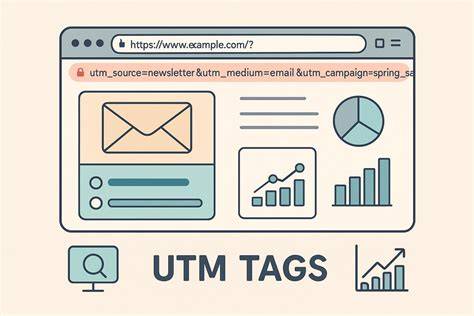
UTM parameters are tags added to the end of URLs that send extra information to your analytics tools about where visitors come from and how they arrived. Common parameters include utm_source (traffic origin), utm_medium (channel like email or social), and utm_campaign (specific campaign name). With UTMs, you can pinpoint which ads, posts, or emails are driving visitors, helping you measure performance and improve your marketing. Without them, much of your traffic might show up as “direct” or “referral,” hiding important details. Simply put, UTMs turn your links into clear signals about your marketing’s impact.
How can inconsistent naming conventions sabotage your data?
Inconsistent naming is one of the main reasons UTM data gets messy. Differences like capitalizing “Facebook” in one link and using “facebook” in another make your analytics treat them as separate sources. The same goes for variations like underscores versus spaces or spelling differences, such as “EmailNewsletter” versus “email_newsletter.” When your tool splits audiences into multiple buckets just because names don’t match exactly, comparing performance becomes a headache. To avoid this, pick a simple, clear naming scheme—usually all lowercase, using underscores instead of spaces—and stick with it. If you work with others, make sure everyone follows the same rules to keep data clean and easy to analyze.
Why is URL encoding important for UTM parameters?
URL encoding makes sure special characters and spaces in your UTM parameters don’t break your links or confuse analytics tools. Characters like spaces, ampersands (&), question marks (?), and others can disrupt how browsers and servers read URLs. For example, a space in utm_campaign like “spring sale” should be encoded as “%20” or replaced with a plus sign (+). Without encoding, your tracking might fail or only partially capture parameters, causing missing data. Many URL builders handle encoding automatically, but if you add parameters manually, double-check that everything is properly encoded to keep your tracking accurate.
Does case sensitivity in UTM parameters affect your reports?
Yes, case sensitivity affects how analytics tools interpret UTM parameters. Most platforms, including Google Analytics, see "Facebook" and "facebook" as two different sources because they are case-sensitive. This scatters traffic across multiple entries, making reports less accurate and harder to understand. Using consistent casing—usually all lowercase—is the simplest way to prevent this. Once you pick a style, apply it uniformly across all your campaigns to keep data tidy and meaningful.
What happens if you use duplicate or conflicting UTM parameters?
Using duplicate or conflicting UTM parameters on the same URL can cause attribution errors that confuse your campaign reports. For example, if a URL contains two utm_campaign parameters with different values, the analytics tool might only read one or ignore both, leading to incorrect traffic and conversion assignments. Similarly, mixing parameters meant for different traffic sources can muddle your data. To avoid these issues, ensure each URL has only one set of UTM parameters and double-check for overlaps before launching your campaigns.
What are the consequences of missing key UTM parameters?
Skipping important UTM parameters limits what you can learn about your traffic and campaigns. For example, leaving out utm_medium means you won’t know if visitors came from email, social, or paid ads, making it hard to compare channels. Omitting utm_campaign means you can’t tell which marketing effort brought visitors, especially if you run multiple campaigns at once. Missing parameters create blind spots in your reports and force you to guess or rely on less reliable data. To get the most from your tracking, always include at least utm_source, utm_medium, and utm_campaign on every tagged URL.
How can you test your UTM links before launching campaigns?
Testing your UTM links before sending them out helps catch errors early and keeps your data clean. Start by pasting the tagged URL into a browser to make sure the page loads without errors. Then, check real-time reports in your analytics tool to confirm the visit registers with the correct UTM parameters. You can also use URL validation tools or browser extensions designed to check UTM links—they’ll flag missing parameters, encoding problems, or duplicates. Testing ensures your links work as intended and your campaigns begin with reliable tracking.
What are some tools or templates to maintain consistent UTM tagging?
Several tools and templates help keep your UTM tagging consistent and free from errors. A simple but effective method is a shared spreadsheet listing approved sources, mediums, and campaigns, so everyone uses the same terms. Browser extensions can automatically build and validate UTM parameters as you create links, reducing manual mistakes. Google’s Campaign URL Builder offers an easy interface to generate properly formatted URLs. Finding tools that fit your workflow and making consistent tagging a habit will greatly improve your data quality.
How do I audit and clean up existing UTM parameter data?
To clean up your existing UTM data, start by exporting analytics reports and looking for inconsistencies like multiple versions of the same source or campaign names that only differ by case or spelling. Group similar entries to understand how fragmented your data is. Then, decide on a standard naming system and use it going forward. While you can’t change past data, you can create filters or apply data transformations in your analytics platform to consolidate similar tags for clearer reporting. Regular audits help keep your tracking accurate and catch issues before they grow.
Conclusion
Start by choosing clear, consistent naming rules for your UTM parameters and always include the key fields—source, medium, and campaign. Don’t forget to URL-encode your parameters and avoid duplicate or conflicting tags. Before launching campaigns, test your UTM links to catch errors early. If your existing data looks messy, audit it carefully and use filters or corrections where possible. A clean and consistent approach to UTMs will give you clearer insights and more confidence in your marketing decisions.
Frequently Asked Questions
Can I use spaces in UTM parameters?
Spaces should be avoided or properly encoded in UTM parameters. Use URL encoding like %20 for spaces or replace them with underscores or dashes to ensure tracking works correctly.
Does it matter if I use uppercase or lowercase in UTMs?
Yes, it matters because most analytics tools treat uppercase and lowercase values as different. Pick one style, usually lowercase, and use it consistently to keep your data clean.
What should I do if I find many duplicate UTM tags in my reports?
Identify which variations cause duplicates, then standardize your naming conventions. You can also use filters or grouping features in your analytics tool to combine similar tags for clearer reports.
Is it okay to leave out some UTM parameters?
Leaving out key parameters like utm_source, utm_medium, or utm_campaign limits your ability to understand where traffic comes from and how campaigns perform. It’s best to include all essential parameters on every tagged URL.