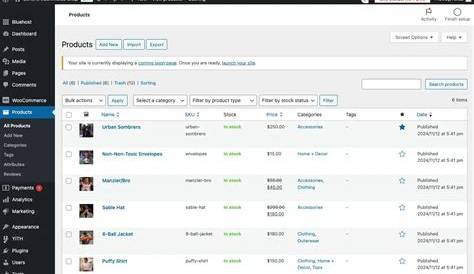
Choosing the best WordPress ecommerce plugin means finding one that fits your business needs without overwhelming you. A good plugin handles your product listings, payments, shipping, and integrates well with your current WordPress setup. You don’t need technical skills to get started—many plugins are designed with beginners in mind and offer helpful guides to walk you through the process.
What’s the absolute must-have in a WordPress ecommerce plugin?
When picking a WordPress ecommerce plugin, some features are essential. First, reliable payment gateways like PayPal and Stripe ensure customers can pay easily and securely. Your plugin should let you add, organize, and edit products smoothly, whether you sell a handful or hundreds. Security is critical since you’ll handle sensitive payment info; choose plugins that stay updated and meet standards like PCI compliance. Inventory management helps keep track of stock without extra tools. If you sell physical products, shipping options and tax calculations are necessary. The plugin also needs to work well with your WordPress theme and other plugins to avoid design or functionality issues. These basics create a solid foundation before considering extra features.
Which plugins are the most popular and why?
Several WordPress ecommerce plugins stand out because they balance features and ease of use. WooCommerce leads as a free, highly customizable option backed by a large community. It suits stores of all sizes thanks to its flexibility and many add-ons. Easy Digital Downloads focuses on digital products, ideal for selling ebooks, software, or music. Shopify’s WordPress plugin connects your site to Shopify’s hosted platform, simplifying hosting and security. BigCommerce for WordPress offers a similar blend of hosted ecommerce with WordPress content management. Each appeals to different needs: WooCommerce for versatility, Easy Digital Downloads for digital goods, and Shopify or BigCommerce for those who want less technical setup.
How do these plugins handle payments and checkout?
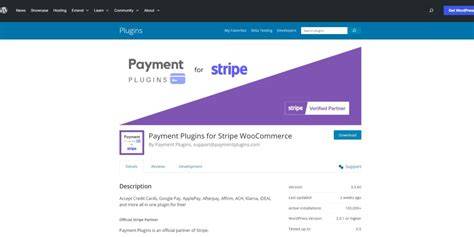
Smooth payment processing is key to a good checkout experience. WooCommerce supports many payment options out of the box, including PayPal, Stripe, and bank transfers, plus more via extensions. It lets you customize the checkout page to match your brand. Easy Digital Downloads offers various gateways with features like recurring payments and license management for digital sales. Shopify routes payments through its own system, which simplifies PCI compliance but limits your gateway choices. BigCommerce handles payments on its platform, providing built-in options but less direct control. All these plugins support multiple payment methods and focus on a straightforward, secure checkout experience, including mobile-friendly design, since many customers shop on their phones.
Can I sell physical products, digital downloads, or both?
Your product type guides your plugin choice. WooCommerce handles both physical and digital products well, with tools for shipping, inventory, and downloadable files. It also supports license keys and download limits for digital goods. Easy Digital Downloads focuses on digital products and offers features like licensing and subscriptions but needs add-ons to sell physical items. Shopify and BigCommerce plugins support both physical and digital sales through their platforms, though digital sales might require extra apps. If you plan to sell a mix of physical and digital products, WooCommerce is usually the simplest choice. For only digital goods, Easy Digital Downloads keeps things straightforward.
Will my existing WordPress theme work smoothly with these plugins?
Compatibility with your theme matters to keep your site looking polished. Most popular ecommerce plugins, especially WooCommerce, integrate well with many themes. WooCommerce-friendly themes include styles for product pages, carts, and checkout that match your design. Easy Digital Downloads is lightweight and fits well with modern business or portfolio themes. Shopify and BigCommerce rely more on their platform’s design, which can mean less flexibility but fewer conflicts with your theme. To avoid surprises, pick a theme that explicitly supports your ecommerce plugin or a well-maintained theme known for compatibility. Testing your setup on a staging site before launch is a good precaution.
How easy is it to set up and manage the store if I’m not a developer?
Most top ecommerce plugins are designed with beginners in mind. WooCommerce includes a setup wizard that guides you through store settings, payment setup, and adding products, all within WordPress’s familiar dashboard. Easy Digital Downloads offers a clean, simple interface focused on digital products, making it easy to start quickly. Shopify and BigCommerce plugins simplify setup further by handling hosting, security, and maintenance on their platforms, though this limits some customization. Expect a learning curve if you want to customize shipping or checkout, but most plugins provide clear documentation, tutorials, and community support to help you along.
What about shipping options and tax calculations?
If you sell physical goods, shipping and taxes can be tricky. WooCommerce offers built-in shipping methods like flat rate, free shipping, and local pickup, plus rules based on location or weight. It integrates with major carriers through extensions for live shipping rates. WooCommerce also lets you set tax rates by country, state, or postcode and handle VAT or sales tax. Easy Digital Downloads focuses on digital goods, so it doesn’t handle shipping but can calculate taxes on digital sales. Shopify and BigCommerce handle shipping and taxes on their platforms, often automating tax calculations and carrier integrations to reduce your workload. If shipping is key to your store, choose a plugin with flexible shipping rules and easy tax setup to avoid problems at checkout.
What pricing plans do these plugins offer and what’s worth paying for?
Popular ecommerce plugins usually have a free base version, with paid upgrades for extra features. WooCommerce’s core plugin is free and suitable for simple stores, but advanced payment gateways, shipping tools, and marketing features often require paid extensions. Easy Digital Downloads is free for basic digital sales, with premium add-ons for subscriptions and licensing. Shopify and BigCommerce plugins are free to install, but you pay monthly fees to their platforms, covering hosting, security, and support. Paying for plans or add-ons makes sense if you need features like subscriptions, advanced shipping, or priority support. Small stores can start free and add what they need as they grow, but keep an eye on ongoing costs to get good value.
How reliable is support and community help?
Good support can save you time and frustration. WooCommerce has a large community, detailed official documentation, forums, tutorials, and paid support options with extensions. Many third-party developers and agencies offer help too. Easy Digital Downloads provides solid documentation and premium support with paid plans. Shopify and BigCommerce offer dedicated 24/7 support as part of their service, which is helpful if you want quick answers without digging through forums. Their communities are smaller than WooCommerce’s but their direct support teams can respond faster. If you want active user forums and plenty of resources, WooCommerce and Easy Digital Downloads are strong choices. For quick, hands-on help, Shopify and BigCommerce support teams are valuable.
What’s the best next step after choosing a plugin?
After choosing the right plugin, start by backing up your WordPress site. Then install the plugin through your dashboard or by uploading the files. Use any setup wizards to configure your store details, payments, and shipping. Add a few test products and try the checkout yourself to make sure everything works and looks right. Check how your theme and plugin work together and adjust styles if needed to keep your site professional. Don’t rush to launch; spend some time reading tutorials or visiting community forums for tips and troubleshooting. When you feel ready, open your store and watch how it performs, making improvements based on feedback. Taking it step-by-step makes the process manageable and helps your store run smoothly from day one.
Conclusion
Focus on plugins that cover the essentials: secure payment options, easy product management, and smooth integration with your theme. Avoid getting distracted by every extra feature and pick one that feels manageable for your product types. Use setup wizards and available resources to avoid overwhelm and technical headaches. A well-chosen plugin will help you build a reliable store that fits your brand and doesn’t require constant troubleshooting. Once your store is live, monitor what works and add features only when they truly benefit your business. The right ecommerce plugin is one that makes selling online straightforward and approachable, not stressful.
Frequently Asked Questions
Can I switch ecommerce plugins later if I change my mind?
You can switch plugins, but it’s not always straightforward. Product data, orders, and settings usually don’t transfer automatically, so you’ll need migration tools or manual work. It’s best to choose carefully upfront to avoid this hassle.
Do I need to worry about PCI compliance with these plugins?
Most major plugins handle PCI compliance if you use popular payment gateways like Stripe or PayPal. This means sensitive payment data is processed securely off your site, reducing your risk and responsibility.
Are free ecommerce plugins good enough for small stores?
Yes, many small stores start successfully with free versions like WooCommerce’s core plugin. These cover basics well, but as your store grows, you might want paid extensions for extra features.
Will these plugins slow down my WordPress site?
Any plugin adds some load, but popular ecommerce plugins are optimized for performance. Good hosting and caching help keep your site running fast. Avoid installing unnecessary add-ons to minimize slowdowns.
Can I customize the look of my store with these plugins?
Yes, most plugins let you customize product pages, carts, and checkout to match your brand. WooCommerce and others often work best with themes designed to support them, which makes styling easier.