If you want to improve your return on ad spend (ROAS) for Meta product ads, optimizing your product feed is essential. The best tools for Meta product feed optimization help you clean, enrich, and automate your product data to ensure your ads show the right products to the right people. These tools improve feed quality and relevance by detecting errors, customizing feeds, and integrating smoothly with e-commerce platforms and Meta Ads Manager. Choosing the right tool depends on your store's size, platform, and budget, but focusing on automation, error detection, and integration will help boost your ROAS and save you time.
Why does optimizing your Meta product feed matter for ROAS?
Your Meta product feed is the foundation Meta uses to understand and display your products in ads. If your feed has errors, missing information, or irrelevant details, Meta’s algorithm can’t match your products well to shoppers. This leads to lower click-through rates, fewer conversions, and wasted ad spend. A clean, relevant feed ensures all key attributes—like titles, descriptions, prices, availability, and categories—are properly formatted and meet Meta’s requirements. This improves ad delivery quality and helps you get better ROAS by spending your budget more effectively, not just more.
What key problems do feed optimization tools solve?
Feed optimization tools tackle common issues like missing or incorrect product attributes, broken URLs, inconsistent formatting, poor categorization, and duplicate entries. These problems can cause ads to be disapproved or shown to the wrong audience, wasting budget. The tools automatically detect and fix errors, fill in missing details, and standardize product data. They also map your products to Meta's taxonomy for better categorization and relevance. Without these tools, you might spend hours fixing feeds manually or run campaigns with flawed data. By addressing these problems, the tools help you avoid costly mistakes and comply with Meta’s policies and algorithm preferences.
Which tools are best for automating Meta product feed optimization?
Top tools like DataFeedWatch, Feedonomics, and GoDataFeed excel at automating Meta product feed optimization. They reduce manual work by automatically updating product details, syncing inventory changes, and applying custom feed rules to meet Meta’s specs. Scheduled feed uploads keep your campaigns running with fresh data. Automation is especially helpful if you have a large catalog or frequently changing inventory. Some tools also offer AI-powered suggestions to improve titles and descriptions, raising feed quality without extra manual effort. Using automation means fewer errors and more time to focus on campaign strategy instead of data cleanup.
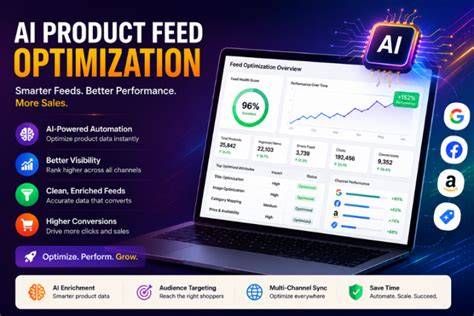
How do these tools improve your product data relevance and accuracy?
These tools boost relevance and accuracy through attribute mapping, data enrichment, error detection, and feed customization. Attribute mapping aligns your product fields—like color, size, or brand—with Meta’s required and optional attributes, preventing data loss or confusion. Data enrichment fills in missing details by pulling from other sources or applying rules, making your feed more complete and attractive. Continuous error detection scans for invalid URLs, missing prices, or formatting problems and alerts you to fix them before they hurt campaigns. Feed customization lets you create different feed versions tailored to specific audiences or campaigns, improving targeting precision. Together, these features help present your products clearly and effectively, making your ads more successful.
Can these tools integrate seamlessly with your e-commerce platform and Meta Ads?
Most leading feed optimization tools integrate directly with popular e-commerce platforms like Shopify, WooCommerce, BigCommerce, and Magento. This allows automatic product data imports without manual exports. They also connect to your Meta Business Manager and Product Catalog, syncing optimized feeds straight to your ad account. This reduces syncing errors and streamlines updates. Integration setup varies—some tools install as apps, while others require API configurations. Be sure the tool you choose supports your e-commerce platform and Meta Ads setup to avoid technical headaches. Proper integration ensures your feed updates flow smoothly and your ads reflect real-time product info, like inventory and pricing.
What pricing options do these tools offer and which fit different budgets?
Pricing for feed optimization tools varies, usually based on product count, features, and support level. Most offer tiered plans: basic options for small businesses with limited catalogs and higher-priced plans for enterprises managing thousands of SKUs. Free trials or demo accounts are common, allowing you to test before buying. Small businesses should look for straightforward pricing with core features like error detection and basic automation. Larger companies may value scalability, advanced customization, and dedicated support, which usually cost more. Knowing your product volume, budget, and needed features will help you pick a plan that fits without paying for extras you won’t use.
Are there success stories showing clear ROAS improvement from using these tools?
Many businesses report better ROAS after adopting feed optimization tools. For example, an online apparel store using DataFeedWatch improved click-through rates and conversions by automating attribute mapping and fixing feed errors, which boosted their ad relevance scores. Another retailer used Feedonomics to enrich product titles and descriptions, cleaning up their feed so Meta rewarded them with better ad placements and lower cost-per-click. These examples show how accurate, complete feeds help Meta’s algorithm match your products to shoppers more effectively, driving higher returns. While results vary, these cases indicate that investing in feed optimization can make your campaigns more efficient and profitable.
What are the limitations or downsides of popular feed optimization tools?
Feed optimization tools have some downsides. Many require a learning curve, especially if you’re new to feed management or lack technical help. Setting up attribute mappings and custom rules can be confusing at first. Some users experience syncing delays between their e-commerce platform and Meta, causing temporary mismatches in pricing or availability. Not all tools support every e-commerce platform or offer advanced features like AI-driven enrichment, which might limit usefulness for some stores. Pricing can also be a hurdle for small businesses that don’t need all features but face high monthly fees. Knowing these limitations helps you set realistic expectations and plan for training or support if needed.
How to choose the right tool based on your specific business needs?
Choosing the right feed optimization tool starts with understanding your business size, product volume, budget, and technical skills. Small stores with a few hundred products and tight budgets should pick tools with simple interfaces, core features, and affordable plans. Mid-sized businesses often benefit from automation and error detection to save time, so look for strong integration and customization options. Large enterprises with complex catalogs need scalability, advanced enrichment, and dedicated support. Also, confirm the tool supports your e-commerce platform and Meta Ads setup. Ask yourself: Does it handle my product count? Is pricing sustainable? How easy is it to use and maintain? Answering these will help you avoid costly mismatches and choose a tool that fits your workflow.
What practical steps should you take next to start improving your Meta product feed?
Begin by auditing your current product feed for errors, missing attributes, and relevance issues using Meta’s diagnostic tools or free feed checkers. Next, select one or two feed optimization tools that match your platform and budget, and try their free trials if available. Use the tool to map your product attributes correctly, set up automated updates, and schedule regular feed submissions to Meta. Keep an eye on your Meta product catalog for feed errors and track your ad performance metrics closely, focusing on ROAS and relevance scores. Adjust feed rules or enrich data based on these results. Over time, experiment with feed customizations for different campaigns or audience segments. This hands-on approach, combined with the right tool, will steadily improve your feed quality and ad returns.
Conclusion
Start by cleaning up your product feed with a tool that suits your store size and platform. Don’t get distracted by complex features you won’t use; focus on automation and error detection to save time and avoid costly mistakes. A well-optimized feed means your Meta ads show the right products to the right people, boosting your ROAS. When you see fewer feed errors and better ad metrics, you’ll know you made a good choice. Keep monitoring and tweaking your feeds as your inventory changes to keep that momentum going.
Frequently Asked Questions
How often should I update my Meta product feed for best results?
Update your Meta product feed daily or whenever your inventory or pricing changes. Frequent updates keep your product info accurate, which reduces disapprovals and improves ad relevance.
Can I optimize my product feed without using paid tools?
You can manually fix and format your feed, but it’s time-consuming and prone to mistakes. Paid tools automate much of the work, saving time and ensuring consistency, especially if you have a large catalog.
Do feed optimization tools work with all e-commerce platforms?
Most popular tools support Shopify, WooCommerce, BigCommerce, and Magento. Some less common platforms might not be supported, so check compatibility before choosing a tool.
Will optimizing my product feed guarantee higher ROAS?
A well-optimized feed improves ad relevance and performance, but ROAS also depends on targeting, budget, and creative quality. Feed optimization is one important factor among several.
Are free trials available for Meta feed optimization tools?
Yes, many tools offer free trials or demos so you can test features and integration before buying. This helps you decide if the tool fits your workflow and budget without upfront risk.